Monokee is a ToothPic partner. Monokee's Identity and Access Management platform supports ToothPic as a multi-factor authentication method, so you can add unclonable, hardware-bound authentication to an existing Monokee deployment without changing your identity architecture.
This guide summarises how the integration works. The authoritative, step-by-step configuration instructions are maintained by Monokee — follow their documentation when you set it up: docs.monokee.com/blog/toothpic-mfa.
What the integration gives you
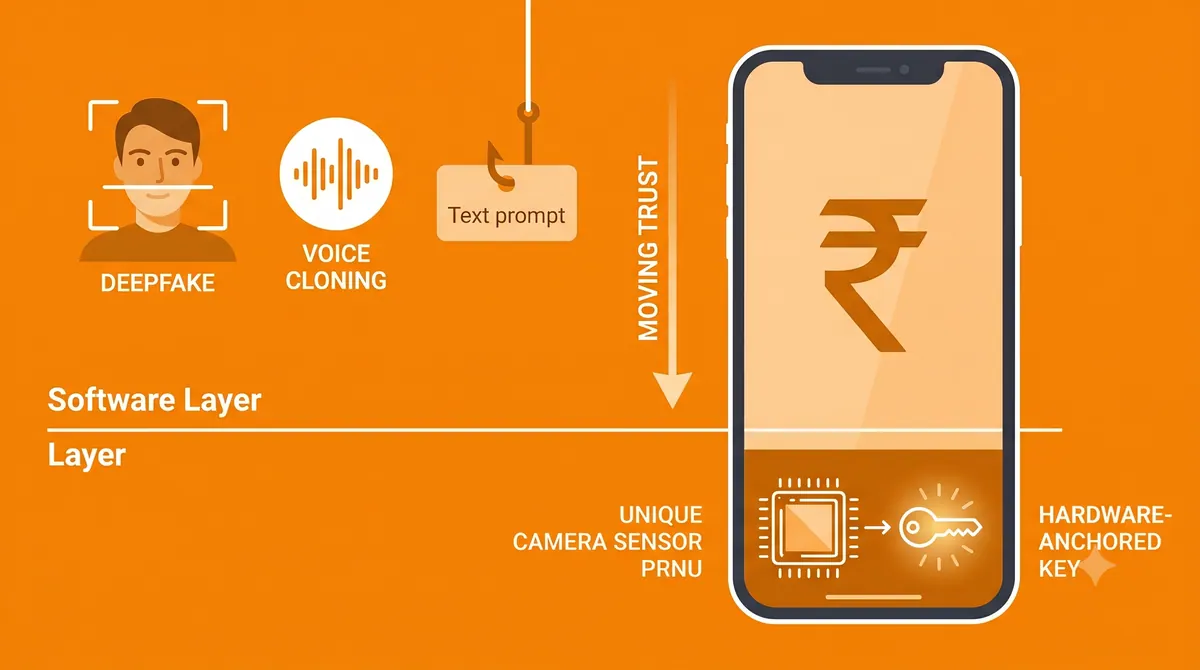
- A possession factor that cannot be cloned. The key is rebuilt from the camera sensor's PRNU fingerprint on the user's own handset, so it cannot be copied to another device, synced to a cloud, or lifted from storage.
- Survives reset and reinstall. The anchor is the silicon, not a stored secret — so factory resets, app reinstalls, SIM swaps and number porting do not break the binding or trigger re-enrolment.
- No new identity silo. ToothPic runs as an MFA method inside Monokee. Your users, policies and federation stay where they are.
- Standards all the way down. ECDSA on NIST P-256, FIDO2/U2F certified. Only public keys are registered; no biometric template or private key ever leaves the device.
How it fits together
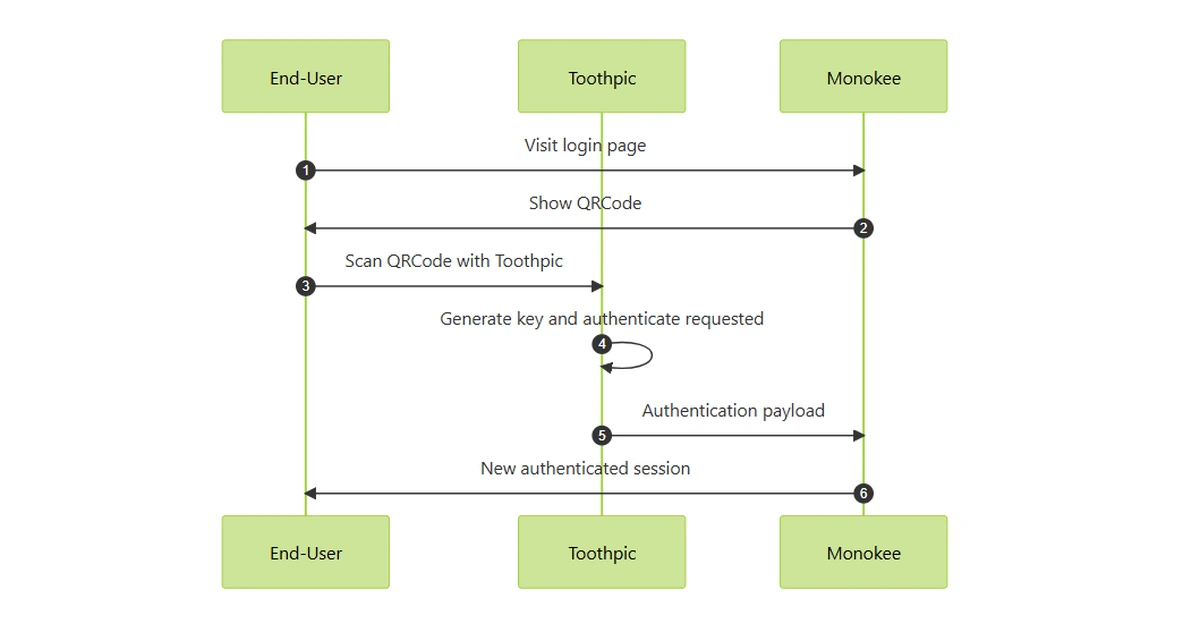
- 1. Monokee acts as the identity provider and orchestrates the authentication journey.
- 2. When a step-up or passwordless login is required, Monokee invokes ToothPic as the MFA method.
- 3. The ToothPic SDK, embedded in your mobile app, reads the sensor fingerprint and rebuilds the private key for the instant it signs the challenge — never exposed in clear text, not even in RAM.
- 4. The signature returns to Monokee, which verifies it against the public key registered at enrolment.
- 5. If the key cannot be reconstructed, the SDK returns an explicit error and Monokee routes the session to your fallback factor. The journey degrades gracefully; it does not dead-end.
Before you start
- A Monokee tenant with administrative access.
- A mobile application where the ToothPic SDK can be embedded (Android
.aar/ iOS.xcframework). - Camera permission in that app — typically one your app already holds for cheque deposit, KYC or QR scanning.
Set it up
Monokee maintains the configuration steps, screenshots and parameter reference. Start here:
Monokee: ToothPic MFA guide monokee.com
Integrating ToothPic elsewhere?
The SDK plugs into Okta, Keycloak, Duende, Microsoft, F5 and Shibboleth via standard FIDO2 and elliptic-curve protocols. Tell us your stack and we will send the integration guide.